

Automation is one of those words that can make business owners think they need a complicated technology stack.
You don’t.
You don’t need to automate everything.
And you shouldn’t.
The purpose of client acquisition automation is much simpler:
Move repetitive work through the system consistently so your team can spend more time on work that requires human judgment.
Client acquisition automation uses technology to handle repetitive activities in the process of turning prospects into customers, such as lead capture, notifications, follow-up, nurturing, CRM updates and reminders.
Think about what happens when someone becomes interested in your business.
They may:
- Fill out a form
- Download a resource
- Book a call
- Ask a question
- Request a quote
- Send a WhatsApp message
- Respond to an email
- Become a qualified opportunity
What happens next?
If every step depends on someone remembering what to do, your client acquisition process becomes fragile.
That’s where automation becomes useful.
Automation Should Solve Movement, Not Replace Thinking
This is an important distinction.
I don’t see automation as:
“How can we make the whole business run without people?”
I see it as:
“Which repetitive movements can the system handle reliably?”
For example:
A lead fills out a form.
The system can:
Create the contact → Apply a tag → Notify the team → Send the first email → Start the appropriate nurture sequence → Move the lead to the right stage.
But the system shouldn’t necessarily decide:
- Whether the prospect is genuinely a good fit
- What to say in a sensitive sales conversation
- Whether a proposal should be changed
- How to handle an unusual objection
- Whether a relationship needs personal attention
Those things require judgment.
Automation should support the people operating the business, not replace the thinking that makes the business valuable.
1. Automate Lead Capture
The first useful place to introduce automation is immediately after someone raises their hand.
For example:
Prospect completes form
↓
Contact information is captured
↓
Lead is added to CRM
↓
Lead is tagged according to interest
Without this, you may end up with enquiries scattered across:
- Website forms
- Social media
- Spreadsheets
- Personal phones
The problem isn’t that these channels exist.
The problem is when there is no connected process behind them.
Lead capture automation helps make sure an enquiry doesn’t simply disappear into whichever channel the prospect happened to use.
2. Automate Internal Notifications
Imagine someone fills out your consultation form while you’re working on something else.
If your process depends on manually checking the website every few hours, a new enquiry can easily sit unnoticed.
An automated notification can tell the appropriate person:
New lead received.
It can include:
- Name
- Contact information
- Lead source
- Service interested in
- Qualification information
- Date and time
Now the team knows something happened.
The automation didn’t sell anything.
It simply made sure the information moved.
3. Automate the First Response
Speed matters, but the first response doesn’t have to be complicated.
For example:
Someone downloads your Client Acquisition Blueprint.
The system can immediately send:
“Here is your Blueprint.”
Then, depending on the person’s action, the system can begin an appropriate follow-up sequence.
This is much more reliable than hoping someone remembers to send the resource manually.
But the message should still sound human.
Automation should remove repetitive work, not make your business sound like a robot.
4. Automate Lead Nurturing
Not everyone is ready to buy immediately.
Someone might discover your business today and need several weeks before they’re ready to have a serious conversation.
This is where lead nurturing becomes useful.
For example:
Day 0
Resource delivered.
↓
Day 2
Helpful explanation of the problem.
↓
Day 5
Practical example.
↓
Day 8
Common mistake to avoid.
↓
Day 12
Relevant case study or insight.
↓
Day 15
Invitation to take the next step.
The exact timing depends on the business, offer and buying journey.
The important thing is that the relationship doesn’t disappear simply because the prospect wasn’t ready on day one.
5. Automate Lead Segmentation
Not every lead should receive the same message.
Imagine your business receives leads from:
- A free checklist
- A strategy guide
- A consultation request
- A paid programme
- A service enquiry
These people have demonstrated different levels of interest.
Your CRM can help organize them.
For example:
Lead Magnet — Downloaded
Blueprint — Engaged
Warm Lead
Ready to Talk
Customer
The system can then trigger different actions based on what the person does.
This is much more useful than sending the same message to everyone.
6. Automate Sales Pipeline Movement
Your CRM shouldn’t simply be a digital address book.
It should help you understand what is happening with opportunities.
For example:
New Lead
↓
Qualified
↓
Sales Conversation
↓
Proposal Sent
↓
Decision
↓
Won / Lost
Some movement can be automated.
For example, when someone books a strategy call, the system could move the opportunity into the appropriate stage.
When a proposal is sent, the opportunity can move again.
But there should still be human oversight.
Automation should support the sales process.
It shouldn’t hide it.
7. Automate Reminders
This is one of the simplest and most useful forms of automation.
A prospect books a meeting.
The system sends:
Confirmation
↓
Reminder
↓
Meeting information
↓
Follow-up after the meeting
Your team doesn’t have to manually remember every reminder.
The system handles the predictable parts.
Your people handle the conversation
8. Automate Lead Re-Engagement
Sometimes a prospect goes quiet.
That doesn’t always mean they’re no longer interested.
They may be:
- Busy
- Comparing options
- Waiting for budget approval
- Discussing the purchase internally
- Not ready yet
Instead of immediately marking every quiet lead as dead, you can build appropriate re-engagement sequences.
For example:
“Still working on this?”
or:
“Here is something that may help with the issue we discussed.”
Again, the goal isn’t to bombard people.
The goal is to make sure good opportunities don’t disappear simply because the first conversation didn’t result in an immediate sale.
What Should You Automate in Client Acquisition?
Start with activities that are:
- Repetitive
- Predictable
- Time-consuming
- Governed by clear rules
- Important to move the prospect through the process
Examples include:
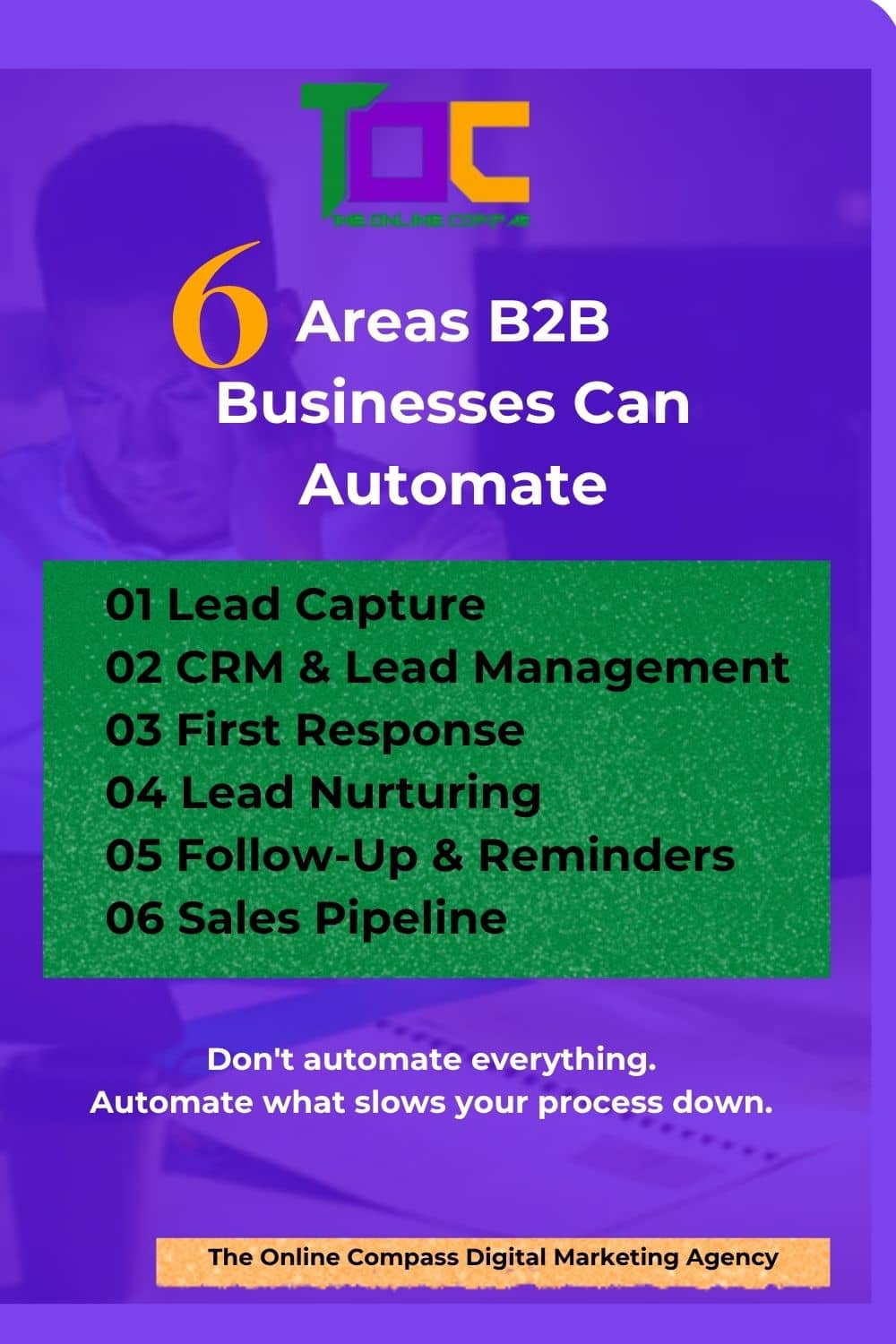
- Lead capture
- CRM updates
- Internal notifications
- Initial responses
- Lead nurturing
- Lead segmentation
- Meeting reminders
- Routine follow-up
- Sales pipeline updates
- Lead re-engagement
These are areas where automation can create consistency without removing human judgment.
What Should You NOT Automate?
This is just as important.
You shouldn’t automate something simply because technology allows you to.
Be careful about automating:
Complex Sales Conversations
A high-value prospect may need a real conversation.
Strategy
Automation can provide information.
It shouldn’t replace strategic thinking.
Relationship Building
Some conversations need a human being.
Sensitive Customer Issues
Problems involving frustration, trust or exceptions often require personal attention.
Final Sales Decisions
Automation can support qualification and process movement.
The human team should still understand the opportunity.
How Does Client Acquisition Automation Work?
You don’t need a complicated diagram to understand the basic idea.
It can look like this:
LEAD SUBMITS FORM
↓
CRM CREATES CONTACT
↓
LEAD IS TAGGED
↓
TEAM IS NOTIFIED
↓
WELCOME MESSAGE IS SENT
↓
NURTURE SEQUENCE BEGINS
↓
LEAD ENGAGES
↓
APPROPRIATE CTA
↓
BOOKING / SALES CONVERSATION
↓
SALES PIPELINE
↓
CUSTOMER
The technology can change.
The principle doesn’t.
The right information should reach the right person at the right stage.
Automation Is Not the System
This is where businesses sometimes get confused.
They buy a CRM.
Then they buy an email platform.
Then a WhatsApp tool.
Then a chatbot.
Then another automation tool.
But they still don’t have a functioning client acquisition system.
Why?
Because tools are not the system.
The system is the process.
The tools help execute the process.
You first decide:
What should happen?
Then:
Who should do it?
Then:
Which parts are repetitive?
Then:
Which parts can technology reliably handle?
Only then should you decide which tools you need.
If you’re still trying to solve inconsistent client acquisition by simply increasing visibility, start with Why Your Business Gets Visibility but Still Struggles to Get Consistent Clients.
Start With the Gaps
If you are considering automation, don’t start by asking:
“What automation tool should I buy?”
Start with:
“Where is our client acquisition process repeatedly breaking down?”
Maybe leads aren’t being followed up.
Maybe enquiries are scattered across different channels.
Maybe salespeople don’t know which leads are ready.
Maybe prospects aren’t being nurtured.
Maybe nobody knows where opportunities stand.
Maybe your team spends hours doing repetitive administrative work.
Those are automation opportunities.
Automation should solve an existing process problem.
It shouldn’t create another layer of technology for your team to manage.
The Bigger Picture
Automation works best when it is connected to the rest of your client acquisition infrastructure.
Visibility brings attention.
Lead capture creates an identifiable prospect.
CRM organizes the information.
Nurture keeps the relationship moving.
Sales pipeline gives the opportunity somewhere to go.
Automation helps repetitive movement happen consistently.
Human expertise handles the conversations and decisions that technology shouldn’t replace.
That’s the balance.
You don’t need a business where everything is automated.
You need a business where important things don’t depend on someone remembering to do them.
Automation makes more sense when you understand the larger system it is supporting. See What Is a Client Acquisition System? A Practical Guide for B2B Businesses
What Should You Automate First?
If you’re starting from scratch, I would look at these five areas first:
- Lead capture
- Internal lead notifications
- Initial response
- Lead nurture
- Sales follow-up and reminders
Then measure what happens.
Are leads being contacted?
Are they responding?
Are qualified leads reaching sales conversations?
Are opportunities moving through the pipeline?
Are more leads becoming customers?
That’s how you know whether your automation is actually helping.
If leads are already coming in but aren’t being followed up or managed consistently, start with Why Businesses Lose Leads After They Generate Them
When Should You Automate Your Client Acquisition Process?
Automate when a task is repetitive, predictable, time-consuming and governed by clear rules.
Don’t automate simply because a tool makes it possible.
Before choosing a tool, understand the process you are trying to improve.
For example:
Problem: Leads are coming in but follow-up is inconsistent.
Possible automation: CRM notification + follow-up workflow.
Problem: Prospects download a resource but receive nothing afterward.
Possible automation: Lead tagging + nurture sequence.
Problem: Sales opportunities are not being tracked consistently.
Possible automation: CRM pipeline stages + reminders.
The technology comes after the process.
Before You Automate, Map the Journey
Don’t automate a broken process.
First map:
Visibility → Interest → Lead Capture → CRM → Nurture → Sales Conversation → Opportunity → Customer
Then identify where the process is slow, inconsistent or dependent on manual repetition.
That’s where automation belongs.
Automation can help after someone arrives, but first your website needs to give visitors a clear path to become leads. See Why Your Website Gets Traffic but Doesn’t Generate Enough Leads.
Automation is only one layer of a client acquisition system.
Before deciding what to automate, you need to understand the entire journey—from visibility and lead capture to lead management, nurture, sales and conversion.
See the bigger picture: How to Build a Client Acquisition Infrastructure That Turns Visibility Into Revenue
The Next Step
If you’ve been generating leads but aren’t sure whether your client acquisition infrastructure is actually connected, start by assessing what you already have.
Use the Client Acquisition Infrastructure Checklist to examine your:
- Visibility
- Lead capture
- CRM
- Follow-up
- Sales pipeline
- Automation
- Tracking
You don’t need to build everything at once.
First, understand what you have.
Then identify what is missing.
Then decide what needs to be built.
Get the Client Acquisition Infrastructure Checklist →
You don’t need to automate everything.
You need to automate the right things.

Eki Ayemenre
Founder & Lead Strategist at The Online Compass Digital Marketing Agency and a B2B Client Acquisition Infrastructure Strategist.
She helps B2B businesses build connected systems that turn visibility into leads, sales, and revenue.
Connect with Eki n LinkedIn → Eki Ayemenre

Pin this
Share on Pinterest
